IPTV player for Android TV, Google TV and Windows.
Live TV, TV guide, movies and series from your own playlist. Free for 30 days, then $20 once.
- Android TV
- Google TV
- Windows
- macOS · soon
- iPhone & iPad · soon

01Live TV
The guide sits right next to what you're watching.
Categories on the left, a channel-by-time guide on the right, the programme details and the playing channel on top. Zap with Up and Down, look ahead along a channel's evening, press OK for full screen.

Zapping that doesn't hurt
The next channel's banner shows straight away. The stream only opens once you stop pressing, so holding the button never upsets your provider.
Catch-up from the guide
On channels where your provider records, move back in time in the guide and play what you missed.
Recovers on its own
If a stream drops, glintv reconnects quietly and tells you in plain words if your provider refuses.
02Movies & series
Every title in a category, at a glance.
Pick a category and browse it as a poster wall. Open a title for the plot, cast and seasons, resume where you stopped, and let the next episode start itself.
- Continue watching, your list, recently added
- Season tabs and episode progress
- Search across live TV, movies and series

03Make it yours
Ten theme packs. Seventeen fonts.
A theme pack changes the colours, typeface, corners and the way the focused tile lifts towards you. Put any font and weight on top. Every change applies the moment you press OK.
- Fluent, Console Blue, Arcade Green, Neon City, Nordic and more
- Inter Tight, Manrope, Sora, Lexend, Oswald and twelve others
- Flat, floating or Deep 3D tiles

04Settings that matter
Playback and privacy, under your control.
Choose how video is decoded and how much is buffered, or hand channels to an external player such as VLC. On the version from this site, a built-in WireGuard VPN keeps your streams private.


- FormatsXtream Codes, M3U, XMLTV guide
- Built-in VPNWireGuard, on the version from glintv.com
- External playersVLC and other video apps
- Your dataNo accounts, analytics or ads
05How it works
From the box to the sofa in four steps.
glintv is a player only. It doesn't come with channels: you add the playlist or login from a TV service you already have.
-
1
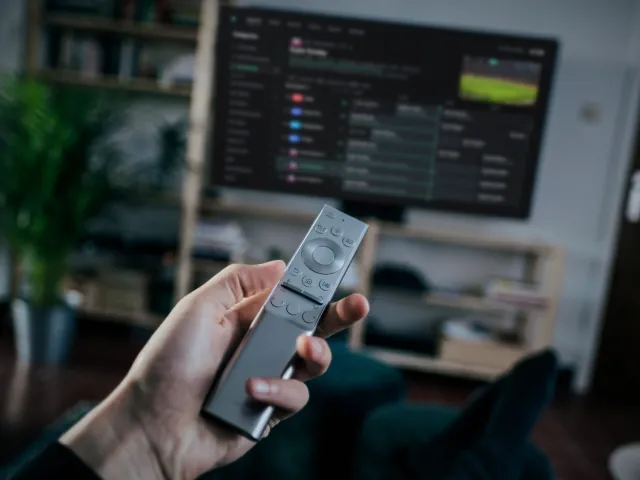
Install
Open the Downloader app on your TV box and enter code 3184998, or type glintv.com/get.
-
2
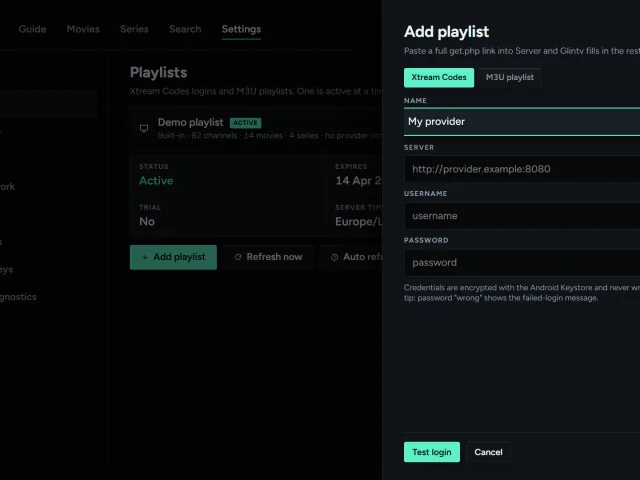
Add your playlist
Type your provider's Xtream Codes login or M3U link once. glintv loads the channels, guide, movies and series.
-
3
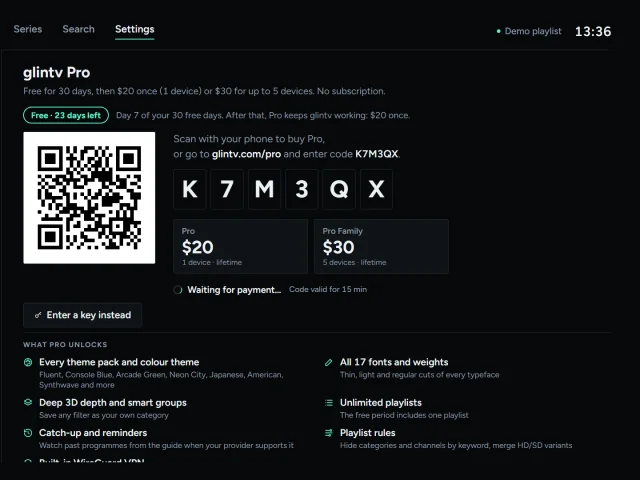
Watch free for 30 days
Everything works from the first day. Settings › glintv Pro shows how many free days are left.
-
4
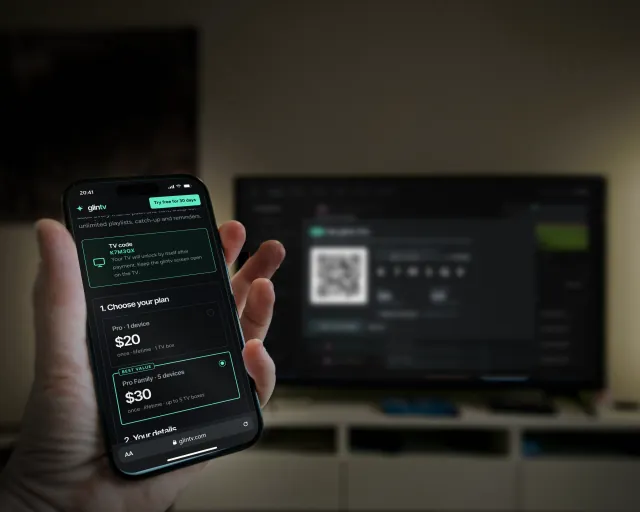
Keep it: pay once
Scan the QR code on the TV with your phone and pay on glintv.com/pro. The TV unlocks by itself.

06Paying takes a minute
Scan, pay on your phone, and the TV unlocks itself.
- The TV shows a QR code and a 6-letter code in Settings › glintv Pro, and when the 30 days are up.
- Scan it with your phone. glintv.com/pro opens with the code filled in. Pick Pro or Pro Family.
- Pay by card. Paystack handles the payment securely, charged in South African rand.
- The TV unlocks by itself within seconds. Your key is also shown on the payment page, so you can type it in instead.

07Pricing
Free for 30 days. Then pay once.
No subscription and no ads, ever. Prices in US dollars; your card is charged the equivalent in rand.
Free period
your first 30 days · no card needed
- Live TV, the guide and full-screen player
- Movies, series, search and favourites
- One playlist, Xtream Codes or M3U
- A reminder before the 30 days end
Pro
once · lifetime · 1 device
- Keeps glintv working after 30 days
- Every theme pack and all 17 fonts
- Unlimited playlists, catch-up, reminders
- Built-in WireGuard VPN
Pro Family Best value
once · lifetime · up to 5 devices
- Everything in Pro
- On up to five TV boxes at once
- Move a licence to a new box any time
- All future themes and fonts
Got glintv from Google Play? There it's a 30-day trial, then a one-time in-app purchase through Google Play. Buying on this site gives you a licence key for the version downloaded from glintv.com. Not happy? Full refund within 14 days.
08Try it in your browser
Drive the real interface with your keyboard.
This loads the actual glintv interface with a made-up demo playlist. Arrow keys move, Enter is OK, Esc is Back. It's about 3 MB, so it only starts when you ask.

Demo films are open movies and public-domain classics (credits). Channel names and listings are fictional. glintv doesn't include any channels or content.
09Download
Get glintv.
TV boxes: Android TV and Google TV 7.0 and newer, including the Xiaomi TV Box S, Chromecast with Google TV, NVIDIA Shield and most Android boxes. Computers: Windows 10 and 11 (64-bit).
Downloader app
Install Downloader from the Play Store, open it and enter the code:
Or type glintv.com/get. Allow Downloader to install apps when asked.
USB stick
Download the APK on a computer, copy it to a USB stick, then open it on the box with a file manager.
Download the APKGoogle Play
Search for glintv in the Play Store on your Android TV or Google TV: a 30-day trial, then a one-time purchase.
Coming soonWindows
For Windows 10 and 11 (64-bit). Download, open the file and follow the installer. Use the arrow keys, Enter and Esc like a remote, or the mouse.
Download for WindowsFirst time: if Windows says it protected your PC, choose More info, then Run anyway.
Mac, iPhone and iPad
glintv for macOS, iPhone and iPad is being built.
Coming soonDoes glintv come with channels?
No. glintv is a player only. It doesn't include, sell or recommend any channels, playlists or providers. You add the playlist or login from a TV service you already have, and you're responsible for having the right to watch it.
Which providers and formats work?
Any service that gives you an Xtream Codes login (server, username, password) or an M3U playlist link, with an XMLTV guide link for the TV guide. Live TV, movies, series and catch-up work where your provider offers them.
Is glintv free?
It's free for 30 days from the first time you open it on a TV box: the complete player with live TV, the guide, movies, series, search, favourites and one playlist. After 30 days it needs Pro to keep working: $20 once for one device, or $30 for up to five. No subscription, and no card needed to try it.
What happens after the 30 days?
Watching stops until you buy Pro. Your playlists, favourites and settings stay on the box, and the TV shows a QR code: scan it, pay on your phone, and the TV unlocks by itself. A few days before the end, the app reminds you.
How do I pay?
By card on glintv.com/pro, handled by Paystack and charged in South African rand (R369 for Pro, R549 for Pro Family; your bank converts it). Scan the QR code on your TV and it unlocks by itself, or enter the licence key shown on the payment page. On Google Play you pay inside the app instead.
Is my login safe?
Your provider details stay on your TV box, encrypted with the Android Keystore. glintv has no accounts, no analytics and no ads, and it never sends your logins anywhere except to your own provider.
What does "up to 5 devices" mean?
One Pro Family licence activates glintv Pro on five TV boxes or Android TVs at the same time. You can remove an old box on the devices page and move the licence to a new one.
Can I get a refund?
Yes. If Pro isn't right for you, ask within 14 days of buying for a full refund.
Will it work with my remote?
Everything works with the D-pad, OK and Back. Channel up and down, number keys, Guide, Info, Menu, Play/Pause and Stop are shortcuts when your remote has them.